Introducing HTML5 by Bruce Lawson and Remy Sharp, The Book of CSS3 by Peter Gasston

Due to procrastination I am writing about two books at once again!

In planning out my Node.js experiment, I realized that to really learn Node.js, I would need to learn JavaScript for real – and to learn JavaScript for real, I would need to go back and re-learn HTML and CSS.  In re-learning HTML and CSS, I discovered I was stuck in the past and really needed to catch up to HTML5 and CSS3, which led to the purchase of these two books.

To learn about all the cool new stuff in HTML5, I decided on Introducing HTML5 by Bruce Lawson and Remy Sharp.  This book was perfect for me – it describes the cool new features of HTML5 (plus some extras) in enough detail to allow the reader to use them, assuming you are already familiar with HTML, but leaves the really in-depth information for your own further exploration.

The book includes a short history of HTML5, which was really fascinating to me.  I never realized there was so much drama and conflict behind it all – the W3C deciding to freeze HTML at 4.01 and move to XHTML 1.0 in 1998, people from Opera and Mozilla disagreeing with work on a new XHTML 2.0 specification and creating the WHATWG to create their own specification, the W3C deciding they may have been wrong and starting to use the WHATWG’s specification as the basis of a new version of HTML, the W3C finally dropping XHTML 2.0 and moving to HTML5, the tension between the W3C and the WHATWG (pages xi-xiii)… It’s like high school drama!

I also never knew how haphazardly new features get implemented in browsers, and how much competition there is among browsers.  The example the book gave is XMLHttpRequest (page xiv).  It was created by Microsoft, and to implement something similar the other browsers had to reverse-engineer it, so there was never any standard.  Browsers all implement things in such different ways – it’s so interesting how there has to be a delicate balance between specifying how browsers should handle things (such as invalid markup or errors) and browser individuality (or else all browsers would be the same and there would be no competition!).

The biggest thing I learned in reading this book is HTML’s emphasis on accessibility.  When I taught myself way back when, I had no idea – I just used it to make my page look how I wanted.  I never realized that specific HTML tags are so important, not just for accessibility, but also for search engines.  I feel like this as been increasingly emphasized recently, hence the very strong opinion these days that HTML should purely be for structure and CSS should do all the styling.  Also, apparently there are laws about a website’s accessibility?!  The book says that some old screen readers don’t handle the specification correctly, so it’s not your fault if they can’t deal with your content, but “it’s your responsibility to know your users and the law in  your area” (page 53).  It didn’t go into any further detail – does anyone know anything about that?

I also learned some interesting fact tidbits.  Apparently the HTML5 shiv was named by John Resig, but later realized he used the wrong word and really meant shim.  The name stuck, however, so now it’s known as the HTML5 shiv (page 276).  Also, apparently “even today Microsoft Internet Explorer claims to be a Mozilla browser” (page 281).  Learning more about browsers’ history really makes me understand people’s disdain towards IE!

My favorite part is the tone of this book.  Both authors use a very colloquial writing style, and there are so many little pokes and teases at each other.  Here are some of my favorite text selections:

New browser features are very exciting and some people have made websites that claim to test browsers’ HTML5 support.  Most of them wildly pick and mix specs, checking for HTML5, related WHATWG-derived specifications such as Web Workers and then, drunk and giddy with buzzwords, throw in WebGL, SVG, the W3C File API, Media Queries, and some Apple proprietary whizbangs before hyperventilating and going to bed for a lie-down. (page xvi)

HTML5 browsers must still render these dear departed elements, of course, as there are plenty of them still out there in the wild.  But you must avoid them as if they were tarantulas, zombies, man-eating tigers, plutonium sandwiches, or Celine Dion songs. (page 70)

You don’t need us to explain what our old chum id is.  But now you can begin the value of id with a digit, just like you always have been able to do with class.  Yay to the max, that’s phat, as people a quarter of my age probably say. (page 74)

Say for instance you had created a real-time charting application that tracked every time Bruce mentions his favourite pink cuddly toy on Twitter.  This charting app will plot Bruce’s sentiment against the current time – so you know if he’s happy with the colour, texture, and general feel of the thing or not. (page 270, obviously written by Remy)

To catch up on CSS3, I picked The Book of CSS3 by Peter Gasston.  To be honest I was pretty skeptical about the book at first.  The cover has a robot mannequin on it, being measured by smaller robots… what in the world does that have to do with CSS3?!  I never found out, but the book was very useful, so I guess it’s good I didn’t judge it by its cover!  This book is similar to the last – it assumes you’re familiar with CSS, and teaches you enough about the new CSS3 features to be able to use them, but doesn’t throw extraneous details at you.

I was very surprised to learn that CSS2 isn’t even an official W3C recommendation yet, and that work began on CSS3 way back in 1998 (page 2).  These things take so long!  It’s understandable though, I guess, since so many people give their opinions and they all have to agree in the end.  I wonder why CSS3 popped up as such a popular topic recently, though?  Same with HTML5, actually – at what point did they all of a sudden gain visibility?  Is it because browsers now have implemented so much of them that we can use them even if they’re not finalized?

I never realized the recommendation process was so complicated.  Working Draft, Last Call, Candidate Recommendation, Proposed Recommendation, and finally Recomendation (page 3).  I wonder what the average length of time it is for a module to make it through all the stages?  Years, probably!

I was pretty impressed with how much research seemed to have been done by the author in terms of browser support.  At the end of every chapter, there is a table listing the features discussed in that chapter and which browsers (among WebKit, FireFox, Opera, and IE) support it, which support it with browser prefixes, and which are expected to support it in a future version.  The examples in the chapters also include browser prefixes, so you know exactly which features are support in what way.

Something that made me think was the following sentence, which is related to something I mentioned earlier:

We think of web pages as having three layers: content (HTML), presentation (CSS), and behavior (JavaScript), and it’s generally understood that these layers should all be kept absolutely separate – we don’t use presentational or behavioral rules in the content layer (in other words, no CSS or JavaScript inline in the markup). (page 163)

I wonder when this shift came about?  From what I’ve understood after reading around, people make a big emphasis on separating layers precisely because people never used to do that.  Even I remember using <font> and style=”position:absolute” in my HTML.  What was it that caused this shift?  I personally do believe it’s easier to understand and maintain if everything is split.  However now the Transitions and Animations modules kind of take a step back – they add animation, which is usually seen as behavior.  I wonder how things will change now?

The book also went into some proposed CSS3 that may or may not ever come to reality.  One interesting one is the CSS Haptics proposed by Nokia (page 248).  I can’t really wrap my head around the fact that they are simultaneously filling in the gaps of features web developers wanted long, long ago and had to implement with workarounds (such as rounded corners done with images), and thinking way far ahead to propose CSS that defines the haptic feedback of a touchscreen.  The example was “haptic-tap-type: latched-button-down”.  Will a touchscreen one day really be able to make me feel like a physically pushed a button down?!  I still can’t get my brain around it.

Fun fact – to get around a certain @font-face drawback, you need to add a “null” value which only needs to be a single character.  It’s become convention to use a smiley face! (page 55)

These two books were awesome, and I definitely learned a lot.  I’ve now already started on my next set of books (which will most likely be written about together, since I’ve already finished one of them but don’t feel like writing about it yet…) to continue my learning for the Node.js project.  I’m also working on a separate “project” at the same time though – getting through Seven Languages in Seven Weeks by Bruce Tate.  All this stuff is so exciting!
The Historian by Elizabeth Kostova

I’m in Boston right now!  Well, really Newton, but I flew into Boston.  Came here for work on Tuesday and I’m leaving tomorrow morning.  I’ve been able to catch up on my reading while on the plane here and also in the middle of the last three nights while I was up until 2:00am or 3:00am somehow still jetlagged.

I borrowed The Historian by Elizabeth Kostova about a month ago when Jack and I checked out the Santa Clara library for the first time.  I hadn’t been to a library for years, and this one was pretty awesome.  Way back in middle school the library I went to in Idaho had self-checkout machines, but I thought it was cool that the ones at the Santa Clara library uses RFIDs instead of scanning the barcodes.  It was kind of funny to watch Jack trying and failing to check out his book by carefully lining the barcode under the light, and then me just taking it from him and doing it for him by just throwing the book randomly on the machine.

I started in the fiction section first, which is where I picked up The Historian.  My method of selecting books is to go down each aisle one side at a time and just scan for interesting titles.  If there’s an interesting title, I pick it up and look at the cover and description on the back.  If the book still has my attention, then I’ll flip through and read a few paragraphs just to make sure I like the author’s writing style.  Kind of a superficial way of selecting books, but with so many choices in a library there’s not really a more efficient way to do it!

I decided to borrow The History because the back cover description made it sound like a mystery, and I like mysteries.  I’ve also realized lately that I like historical fiction, which is what this also sounded like.  When I got home and started reading, I was surprised to discover it was about Dracula.  I couldn’t figure out for a while how I could miss the main subject of the book, but  then I realized that there was a library barcode covering part of the back cover description and I never read the “praise” quotes on books, which both referenced Dracula and vampires.  At least it was a good surprise!

I really liked this book.  It’s historical fiction but written from the point of view of historians in a (relatively) modern time studying history, in this case about Dracula, rather than from the point of view of those periods in history themselves.  This was pretty cool to me, because they were unraveling a mystery through research of different historical sources, and it spanned hundreds of years.  Although it was fiction it was fascinating to see the small links and references the author created throughout time.

Another reason I really liked this book is because of the way the story is told.  There’s the story of the main character, which is told in first-person, but then you find out the rest of the story with her through the stories and letters of multiple people, which are all interweaved, both in who the story/letter is from and in time.  They’re also presented in chunks that are exciting and fun to read, but also leave you hanging and waiting for more.  I haven’t read a book in a long time like this, where I ended each chapter wanting to immediately jump to the next no matter how late it was or where I needed to be.

My only problem with the book was that the telling of the story through letters wasn’t 100% believable to me.  In the case of the letters from her dad, they were worded too much like a novel – too much detail, too many exact quotes, too specific about exactly how he felt, too intimate.  The letters were supposed to be written years after the events happened and written for his daughter to read – I really can’t imagine a person remembering exactly what every single person said, or even telling his daughter about how he and her mother spent their time together in a  hotel.  After a while I forgot it was a letter and just treated it as a first-person part of the book, but the fact that it was a letter from her dad was pretty important, so I don’t think that was the intended reaction.  To be fair, it would have been really hard to tell the story without giving that much detail.

It’s been hard to write this, because I have no idea how much I can say without giving things away.  I suck at writing reviews…

HTML&CSS by Jon Duckett, Above the Fold by Brian Miller

I was reading these two books at once and finished them around the same time, so I figured I’d write about both at once.

I found out about HTML&CSS by Jon Duckett because someone posted about it on Reddit.  Although I already knew HTML and CSS, I couldn’t help buying it – the photos on the website make it look so beautiful!  I figured that I would benefit from re-learning HTML and CSS in a structured way, since I had taught them to myself before.  It’s even more gorgeous in person!  The HTML and CSS are color-coded, each type of page (Introduction, Reference, Background, Diagram, Example, and Summary) has its own layout, and even the example pages (showing the result of the HTML) are beautiful.

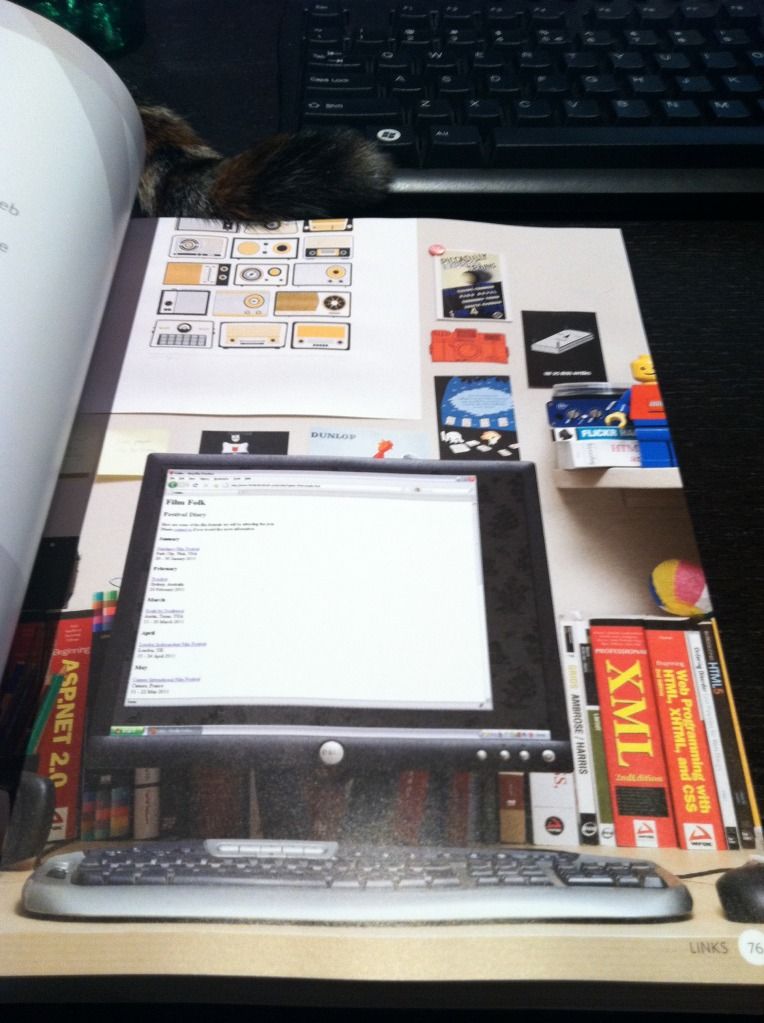
It’s a beginner book, so it start off with just HTML.  It describes how HTML works, then goes into different tags, introduced in related categories.  It’s very simple and very clear, with lots of diagrams and examples.  The book brings up some older HTML practices that are no longer used, but it points out that they are old, and is explaining them in case the reader comes across them when looking around the internet – I really like that it does that.  Things change so quickly, but I think it’s important to still know where things came from and how things evolved.  It also goes into a few new HTML5 tags, but doesn’t delve into them too deeply, and just tells the reader to look out for them.  The examples of the HTML code are so pretty.  Instead of simply displaying what a browser would display, there are photos of a laptop or a monitor, showing the site in a browser.  The background of the photos are beautifully-decorated rooms, and it just makes looking at plain HTML a lot more enjoyable.

The second section is about adding CSS to the HTML that had already been taught.  It also introduces CSS in related categories, so it’s easier to digest, and easy to follow.  The example pages that are created slowly become more complicated and realistic.  By the end a full web page is created.  The relevant example code is color-coded and easy to follow, and the code is even available online (although I personally never checked it out).

The last section is some random website-related information, giving some quick information about the process of creating and maintaining a website, such as designing for the visitor, wireframing, visual design, and SEO.

Overall I think it’s a great book to learn HTML and CSS as a beginner, especially because it’s very visual and you are using HTML and CSS to create something visual, so it makes a lot of sense to present the material to you in well-organized and understandable visual examples.  The examples aren’t contrived and are real examples of situations in which you would utilize the code.  And of course, it’s so enjoyable to look at!  In general I think that it’s very hard to learn coding languages just from books without trying them out, so I think it’s awesome the examples in the book are available online to play around with and explore.  I didn’t check them out just because I was reading the book not to learn, but to refresh.

As I went through it, I actually learned that I lot of things I thought I knew are obsolete, and there are a lot of new tags and conventions used today that I had no idea about.  It was a great refresher, and it’s made me remember how interested I’ve always been in web design and web development.  I’ve decided to follow up with an HTML5 book and a CSS3 book to get caught up on the latest of HTML and CSS, and then take a look at both again from a design perspective.

I can’t remember how I found out about Above the Fold by Brian Miller – probably some Reddit post or Quora answer – but I’m really glad I found it.  Before I started working in my current team at work, I never too much thought to user experience and design, but I’ve come to realize that they’re really important, and if I don’t have to put much thought into them when interacting with a website they were probably well-done!

This book is also split into three sections.  The first is Design and Typography.  However it’s not limited to those topics and includes a lot of relevant information that’s useful and pretty interesting.  For instance, it explains how things such as a computer’s color depth, monitor resolution, operating system, browser type, and connection speed will affect how they see your site, no matter what you do.  Something I found really fascinating in this section was the Brief History of Web Design, split into Web 1.0 (1993-2002) and Web 2.0 2003-present).  It included screenshots of websites from those previous years – Yahoo in 1994!  Amazon in 1995!  Apple in 1997!  Google in 1998 (which, by the way, doesn’t look too drastically different)!  It’s cool to see how much things have changed.

The second section is Planning and Usability.  This goes backwards to what you should be considering before your design – the visitors, the client, wireframing, prototyping, and usability.    I think this is the kind of “background” stuff website visitors never see, and never really consider.  There’s a lot more that goes into a site than I thought!

The last section is Business Value, and is about SEO, ads, and marketing.  Since I’m reading this book as a personal interest, I didn’t pay too much attention to this part, even though it was very interesting.  For me personally, it’s good to know about, but I don’t think I would ever be making sites professionally in an environment where I would need to be an expert in these areas, just making sites in my free time for myself :)

I think this book was awesome.  I got a taste of all the important things to consider when designing a site, and it was all very well-presented.  Nearly every page has a screenshot of an existing site that exemplifies the concept being discussed.  Not only was I learning these concepts, I got a lot of ideas and inspiration from the screenshots.

One interesting thing I noticed as I was reading the book is that I get very different impressions of a site when viewing it in a browser versus the entire length at once in a book.  Seeing the entire length makes it feel more cluttered to me – a lot thrown at me at once.  However seeing it at once does give me a better sense of how elements of a site tie together into one experience.

I’d suggest both of these books to anyone interested in web design.  They’re both not only informative, but great to look at, easy to read, and well-designed.  I wish computer science textbooks were presented like this!

The book that started it all: How I taught myself HTML in 4th grade

I got my new book HTML&CSS in the mail yesterday.  It’s a very basic introduction to HTML and CSS, but I got it even though I know both because it is absolutely gorgeous.  I wish more books taught like this – I’ve actually been searching for more books on web design like this.

Anyway, as I started reading through it, I realized that a lot of HTML I thought I knew is obsolete.  For instance, apparently using <a name=”blah” /> is now obsolete in HTML5, and you should instead specify anchors for links with id attributes.  I didn’t even know you could specify anchors with id!  At that point I realized that my HTML is way outdated.

Why?  Because the HTML I know is what I taught myself from a book in 4th grade.  After this one semi-structured introduction to HTML, everything else I picked up as I needed it, and I definitely haven’t been keeping up with new specifications.  I have a very haphazard knowledge of HTML, with a lot of gaps.  Same with CSS – I don’t think I even bothered with CSS for years because that intro book never mentioned it.  I’ve definitely been able to get by with what I know, but I think it’s time for a more structured refresher – and to get myself updated to 2012!

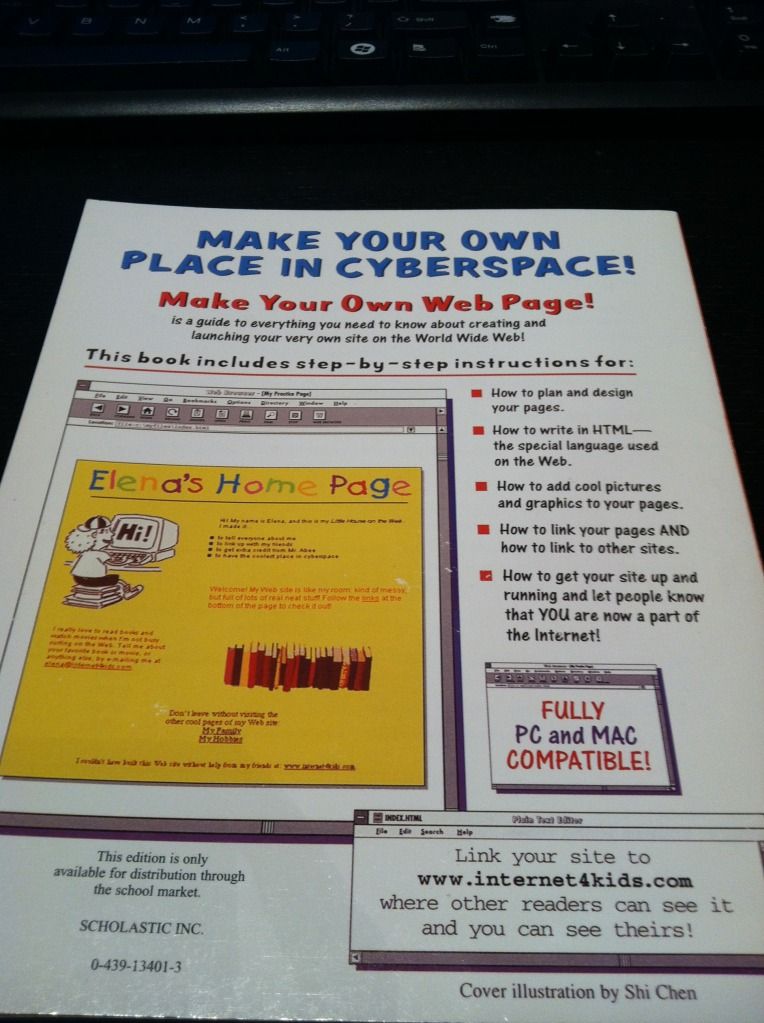
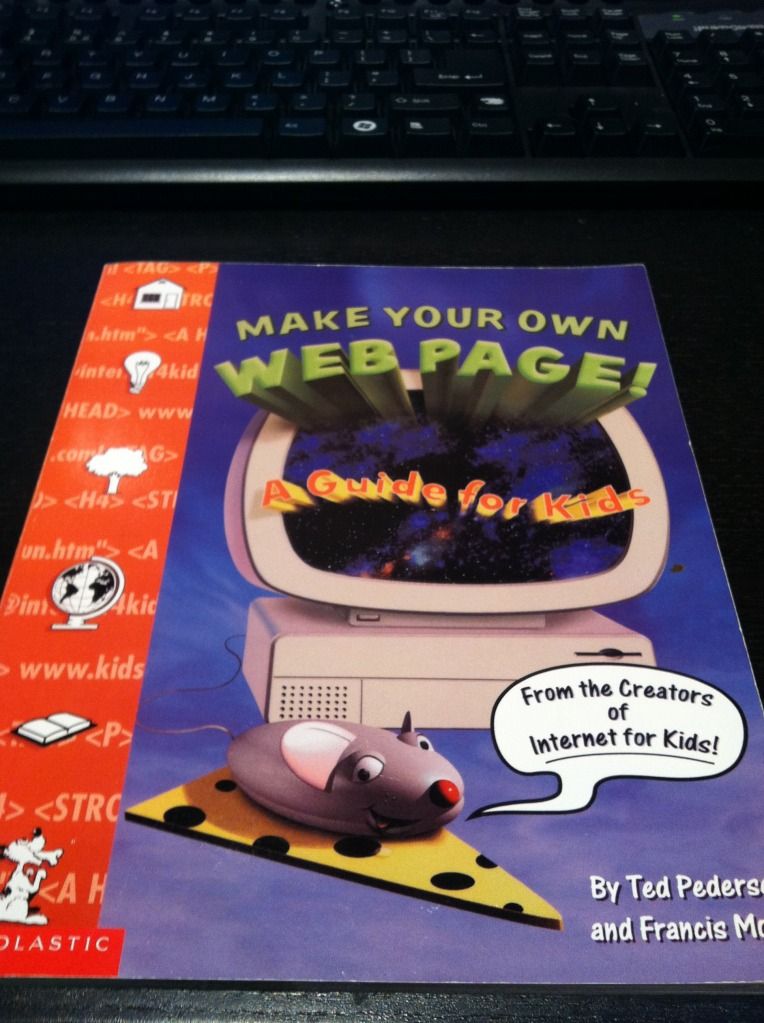
I was surprised to find that I actually had that book from 1998 (14 years ago!) in my bookshelf.  I must have missed it when I was unpacking – otherwise I would have reminisced over it for hours.  Take a look at how awful it looks:

I got it from a book order in 4th grade.  Remember those?  I was always so excited to pick out new books to get.  I have no idea what possessed me to get this book, but I’m glad I did, because I’m pretty sure this book is the reason I’m a software engineer today.

Here’s the back cover.  I cringe just looking at that example site.

I’ve already checked, that website doesn’t exist any more.

I’ve been on a book-buying kick lately, mostly about web design.  I figure the money will be worth it in the long run since I’ll be learning something I have a lot of interest in, and I haven’t sat down and read for a long time.  I still have five or so fiction books in my bookshelf that I haven’t gotten to, but at this point in time I’m more interested in learning.  And reading is dying out!  Why don’t people relax and just read any more?  That used to be all I did when I was little.  Now instead of staying up really late reading I stay up really late browsing the Internet.

The HTML&CSS book is so pretty.

Even when they show the example pages that correspond with each code snippet, they don’t just show the page – they display them on different monitors in beautifully decorated rooms.  I’ve even been getting some book suggestions from the books they show in the background.

I also got Above The Fold a few days ago.  It’s also really pretty, and there’s a lot of fascinating background in it.  I never thought about the fact that tabbed browsing was based on file folders, although it seems obvious now that I know.  It talks about the structure of web pages, but it shows a lot of them full-length.  Web pages look so different when you look at them full-length versus the height of your browser.  They feel so much more cluttered to me when I see them full-screen – but then I guess that’s the whole reason the “fold” is important!

I’d also been reading The Design of Everyday Things before I got into this big book kick, because my user experience friend recommended it.  Before I started work on my current team I never thought about user experience at all – but now it seems so important.  I guess if I don’t have to think about the experience of doing something while I’m doing it, it was probably designed well enough that it was natural and made sense.  On the other hand, the book says that when something goes wrong, people tend to blame themselves rather than bad design.  I don’t think I believe that 100%, because some people are just retarded, but if the majority of people have difficulties, something is probably wrong.

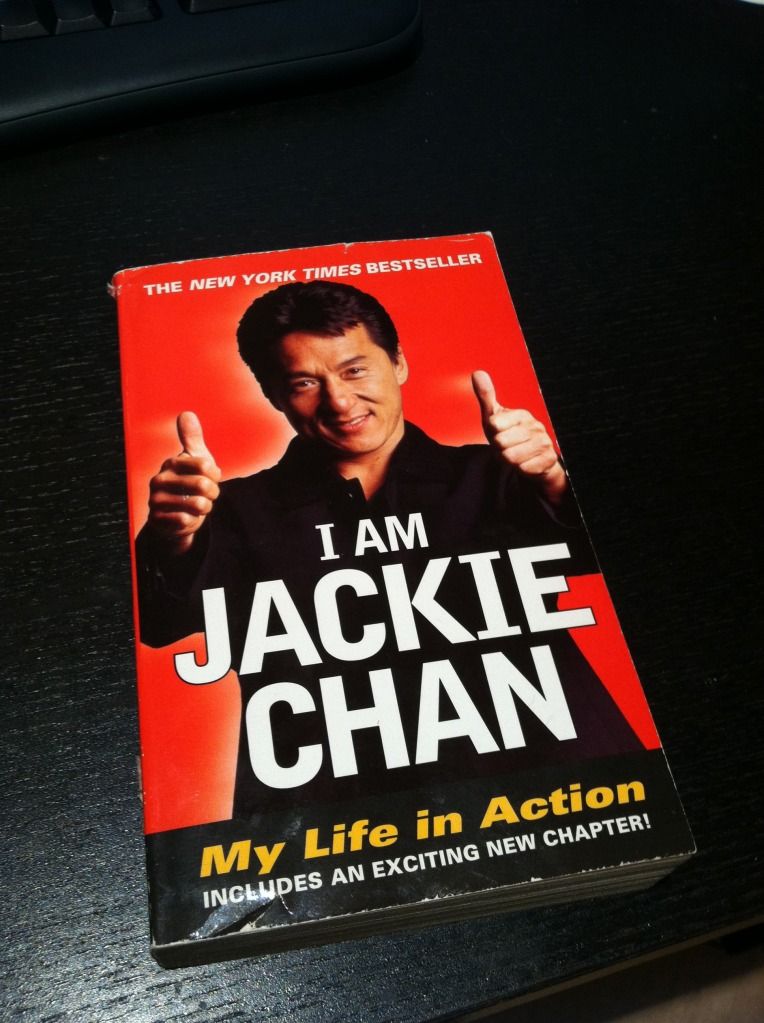
Another book I recently bought but haven’t started is a little different… I got I Am Jackie Chan, for no reason other than that Jackie Chan is awesome.  Sadly, I had to get a used book because they apparently don’t print it any more.

I’ve decided to set aside a specific amount of money each month for my “splurgy” purchases, and these books fall into them.  I’ve already ordered Responsive Web Design – now that people browse from phones so much a responsive site is pretty much expected.  Here are some other books I’ve decided to buy so far, in the order I want to get them:

After I read more I’m going to stop being lazy and actually design BaconFriedRice instead of using pre-made templates.  Yes, I’ve been saying that for a long time, but now that I’m reading all these I want to do it right.  I’m excited to get to that point!  Now off to read some more!

Node.js experiment part 2: Research, review, and learning

I want to do this experiment right, so rather than jump right in I’ve decided to do a lot of research and planning before hand.  I’ve also decided to review JavaScript and learn Node.js “correctly” by reading introductions and tutorials.

But two things before I begin:

  1. I need a name for the project!  It’s bothering me that I don’t have one, and I don’t want to go through the bother of going with a temporary name and renaming everything afterward.  Any ideas?  It needs to describe the “resource blog” idea, but also maybe be cute and easy to remember.  These are some random thoughts I’ve jotted down:
    • bacon links?
    • piggy links?
    • library?
    • repository?
    • reference?
    • collection?
    • anthology?
    • compilation?
  2. I want to be organized, so I’ve started a notebook for this project.  I write notes on introductions/tutorials in it, and also just jot down any thoughts I have.  I like writing things down on paper rather than just typing them, because it helps force me to think through it – when I type, sometimes I type so fast I can’t even think fast enough to keep up.  I also discovered Trello, this awesome “collaboration tool” that’s perfect for organizing a project, especially projects with multiple people.  I found it when I was looking through code52 about their most recent project.  Here is their Trello board for their project Samurai.  It’s awesome – there are lists of different types of tasks, and you put cards in the lists, which represent tasks.  The cards can have notes, comments, and checklists, and can be labeled with categories and even have people assigned to them!  Here is my Trello board for my experiment.  I’ve just started putting it together so I’ll definitely be expanding it.  Comments on the cards are welcome :)  Also I feel silly assigning myself to everything, but when I finish things it makes me feel like I’ve accomplished a lot!

Here’s a table of contents again:

Research
Review
Learning

Research

First I expanded my feature list so I could figure out what I would need to do.  Here is what I have in my notebook:

  • Log in to post
    • Only me for now
    • Goes to admin center – like the WordPress admin page
      • Add/edit/delete resources
      • Save versions eventually?
      • Save drafts
      • Moderate comments
      • For posts:
        • Create/select category (can only belong to a single category)
        • Add tags
        • Title
        • URL
        • Note
        • Rating
    • In the future, expanding for more users
      • Admin can manage users
      • Manage user profile – name, email, picture, URL, bio, etc.
      • Add/edit/delete own posts
      • Versions?
      • Drafts
      • Same as above for posts
      • Permissions model – everyone sees same functionality but can only act based on permissions
  • View resources
    • Summary view and full view
      • Summary view – multiple summary views on a page, “more” link will show full view
        • Title
        • URL
        • Snippet of note
        • Rating
        • Category
        • Tags
        • Number of comments
        • Votes with ability to vote (like Reddit)
      • Full view – each resource on a single page
        • Title
        • URL
        • Note
        • Rating
        • Category
        • Tags
        • Votes with ability to vote
        • All comments
          • Name
          • URL/email
          • Comment
        • Add comment
          • Name
          • URL/email
          • Comment
          • Recaptcha
    • Default view
      • Display resources by time, most recent first
      • Show each resource in summary view
    • Category view
      • All on one page
        • Alphabetical categories
        • Show in category tree
        • Show minimized by default, can maximize to see summary view
      • By category
        • Same format as all on one page except each page is for each outmost category (subcategories don’t get own page)
        • Can sort by date, rating, votes
    • By tags (user search by tag)
      • Show summary view of results, by date as default
      • Can sort by date, rating, votes
      • Minimized by default, maximize to see summary view
    • By highest rated (my rating)
      • Same format as tags view
    • By highest voted (by visitors)
      • Same format as tags view
  • Index page
    • Default view of resources
    • Tag cloud
    • Short list of highest rated with “more” link
    • Short list of highest voted with “more” link
    • Link to page with different category views
    • Search bar for tags
    • About link
    • Contact link

Now that I’ve typed it out, I realized that there may be too many different views of a single resource – full view, summary view, and minimized view.  I need to think more on that.  I figured that showing the full view of every resource would be too much information if it wasn’t the index page so I think there should be at least two views, but it may not be necessary for both a summary view and a minimized view.  I may get rid of the minimized view, otherwise someone would have to first expand the minimized view, and then click “more” on the summary view to see the full view.

I’ve also come up with a list of tools/frameworks that I think I’ll need for the project.  I did quite a bit of research on the best tool for each function, and I think this is the finalized list.  They’re in no particular order under each category:

  • The general code – server and client side
    • Node.js – obviously
    • Express – web development framework
    • Jade – template engine
    • Stylus – CSS pre-processor
    • nodeQuery – DOM manipulation framework with JQuery methods
    • everyauth – authentication and authorization
    • Async – utility module for asynchronous code
    • node-UUID – generate UUIDs
    • node-recaptcha – renders and verifies Recaptcha captchas
  • Database
    • MongoDB – document-oriented NoSQL database system
    • Mongoose – MongoDB object modeling tool
  • Testing and debugging
  • Deployment
    • Forever – tool to ensure a script runs forever
  • Logging
    • winston – multi-transport asynchronous logging library
  • Documentation
    • NDoc – documentation generator

I’ve always had this really weird attitude towards using external tools.  On one hand, I feel like doing everything myself is “better” in terms of me being a programmer and not being lazy.  But at the same time I guess it’s not lazy, it’s being resourceful and using what’s already out there.  I never know how I feel about it… I still get conflicted about it all the time.  But I’ve got this huge list now, so I’ll have to deal with it!

There are still some things I need to consider for the project, and need to do research on – I won’t fully go into them here but they’re on the Node.js Experiment Trello board.

Review

Since all my JavaScript is self-taught, and JavaScript is kind of important to Node.js, I decided to fill myself in by following a introduction tutorial.  I also want to learn to use Node.js the “right” way, so I am following an introduction tutorial for that too.  I decided on Felix’s Node.js Beginners Guide, which was suggested by a lot of people when I was researching best Node.js tutorials.  And as luck had it, that tutorial suggested Eloquent JavaScript as a JavaScript tutorial, and it had good reviews when I researched it, so I’ve decided to follow that for my JavaScript review.

I’m up to chapter 9 in Eloquent JavaScript and it’s been great for me so far, as someone who already has programming background in other languages and wants to just pick up the little nuances about JavaScript (it still throws me off that you don’t have to tell a variable what kind of variable it is.  And null vs undefined?  == vs. ===?  Closures?!  Prototypes?!?!)  However I think that as an introduction for someone who has never programmed before, it’s kind of a mess.  It doesn’t explain things very clearly and kind of brushes over some programming concepts as “magic”.  I had to do some outside research about closures and prototypes, and I still don’t fully understand them.  They also try to shove too much down your throat – they had an entire chapter that was based around the concept of graphs but never explained graphs and just sort of threw code at you.  I love the in-browser console though; it’s really easy to follow along with their code samples and edit it myself.  Try out the in-browser console – it’s awesome.  Overall I think it was a good choice.  Still need the finish taking notes on the last few chapters though.

I’m also playing around with Codecademy to keep filling in any knowledge gaps I have.  It’s neat, I like the tutorial format, with the skeleton code in the editor and the console to run it.

After that I’m going to take notes on Felix’s Node.js Beginners Guide.  Then I’ll see what other knowledge I may be lacking and research some more good tutorials.

Learning

I guess I kind of already covered this with Felix’s Node.js Beginners Guide.  But I’m also going to need to become familiar with all of the tools and frameworks I’ve chosen to use in the experiment, so I think that I will have to do some reading on each of those and code through some small sample projects for each of them, before I try to use them all together.  I still need to come up with a plan for that – not sure what order I’ll be going in, as the list of tools and frameworks above are in random order.  I wonder if it’s better to familiarize myself with testing tools first so that I can use them while I learn the others?

Anyway, it’s late now, so I’m going to bed.  Goodnight!

BaconFriedRice.com will be participating in Stop SOPA Day on January 18th

The SOPA Blackout site has a Javascript utility to pop up a message about SOPA on Stop SOPA Day, this Wednesday, January 18th.

The site has an interesting video about SOPA too.

Jack and I discussed taking BaconFriedRice down completely versus popping up the message, but decided not enough people visit the page for taking it down to matter… haha

Good reading: A technical examination of SOPA and PROTECT IP

Node.js experiment part 1: Defining my experiment

I’ve decided that my technical project will revolve around Node.js.  And now I will start my long convoluted story about how I came up with my project…  I guess I will provide a table of contents again since I tend to ramble a lot :)

The back story
The idea
The goals
Future considerations
The plan

(I just want to say here that I accidentally deleted a whole bunch of stuff I wrote and WordPress didn’t auto-save a draft before it happened so now I am an extra sad panda.)

The back story

At work, I was working with part of our team in China, and right before the winter vacation they gave us the code to a web socket server in Node.  I’ve always been interested in web technologies – I taught myself HTML from a book in fourth grade and self-taught whatever PHP I needed in middle school for my embarrassing (and luckily now-nonexistent) EatenCheez.com – but I’ve never had any formal training.  After I moved to Virginia in high school, I stopped playing around with HTML and PHP in my free time, and since I focused on embedded systems in college, I don’t really have any idea what Node was.  I was curious, so I looked into it, and it’s so fascinating!  A web server written in 6 lines of code?  Awesome!

(Side note Easter egg – I found a snapshot of EatenCheez.com from 2003.  I don’t know what happened to the formatting but I thought it was a funny reminder of way back when.  Cliques, rings and clubs?  Guestbooks?!  At least this version of EatenCheez.com didn’t have a splash page with the obligatory hit counter!)

I started looking into Node, reading about what it’s best used for and following some cool tutorials.  I even installed Ubuntu on my Windows desktop just to be able to play with Node easier.  There are some really cool tutorials and projects out there – such as this Scrabble MMO written in 48 hours, this Twitter clone, or this awesome phone-controlled multi-player browser game written by an intern (try it out, it’s neat and cleaned up my rusty French) – but following someone else’s tutorial isn’t the same as creating your own project.  So I kept looking into Node to see if I could get any inspiration.

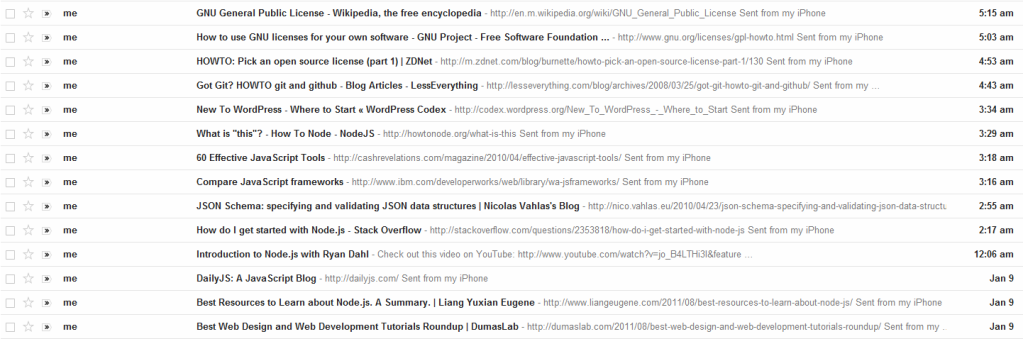
The thing that ended up really inspiring me ended up being… my laziness.  When I’m bored, I will lounge around on the couch or on the bed browsing the internet on my phone.  However, phone screens are tiny!  So when I find an interesting link, I will email it to myself to read later.  I like how mailing a link to myself from the iPhone will put the title of the page in the subject and the URL in the body of the email, because the title is obviously much more descriptive than the URL.  However, this means I end up with an inbox looking like this (I actually had 20 sitting in my inbox all day but I started moving them before I remembered to take a screenshot):

(I’ve been having insomnia for the last week, only getting 3-4 hours of sleep a day… hence the very early morning emails to myself)

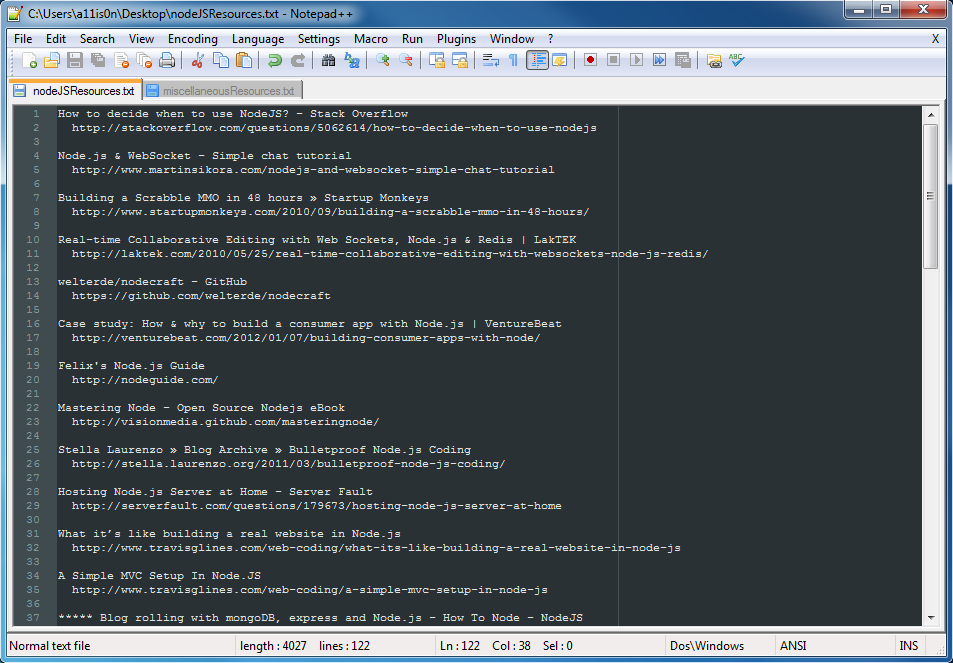
I wanted to clean up my inbox, but I didn’t want to just have a big list of URLs and no descriptions, so I decided to just move things to a text document:

Now my email inbox was clean, but I had a list of titles and URLs on my desktop that I couldn’t access from anywhere else.  That is the same reason I don’t like to use browser bookmarks – I’ll put them there, then not be able to access them when I’m, say, at work and have some free time to read.  I started syncing my Chrome settings recently and they sync bookmarks, but I also use different browsers when I’m working, so I’d have random bookmarks saved across multiple browsers on multiple machines.  I tend to just avoid browser bookmarks in general.

On Saturday I was in the middle of this tutorial for a blogging system in Node when it hit me – I should make my own personal resource blog!

The idea

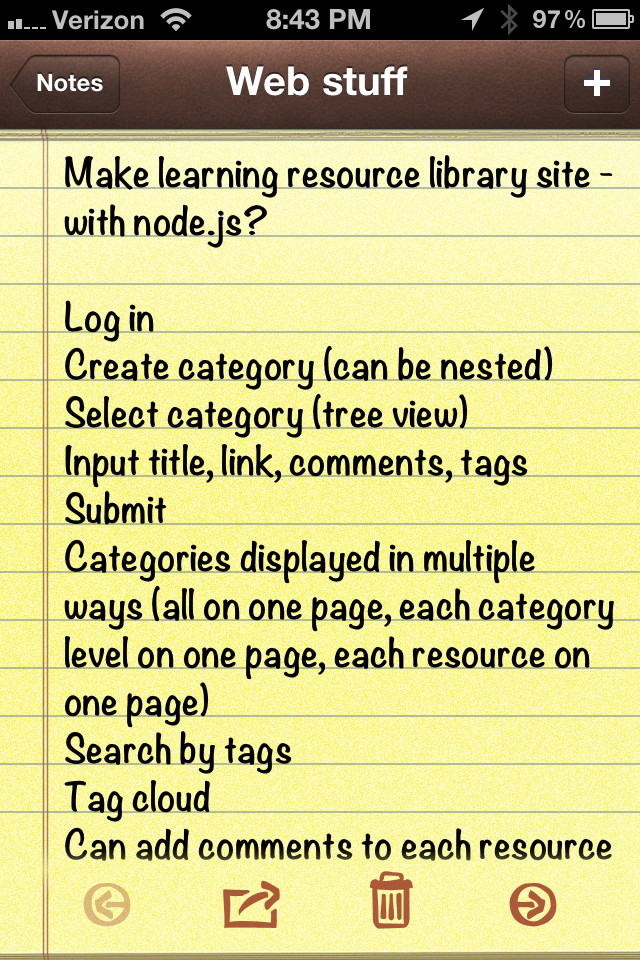
“Personal resource blog” doesn’t explain much.  I was formulating this idea while I was (yet again) lounging around on my phone, so my notes ended up like this:

Basically I want to make a “blog” where each post is a useful resource I found, so I guess a library of bookmarks.  Here is a cleaned up, better explained, and expanded version of this list of features I made.

  • Log in – Since it is a personal blog, only I can log in and post
  • Create category (can be nested) – Each resource is listed under a category, and there can be categories within categories
  • Select category (tree view) – If I already have the category I need, just select it
  • Input title, link, comments, tags – Each resource consists of a title, the link to the page, my comments about how useful I found it, and some tags.  I’ve also been thinking that maybe I could rate it.
  • Submit – submit the resource, obviously
  • Categories displayed in multiple ways (all on one page, each category level on one page, each resource on one page) – Now I’m getting into what the visitors see.  They could view all and see the resources listed under their categories, or they could select a category and view only those resources on a page.  I believe that in the last part I was referring to each resource having its own permanent link, so perhaps in the two previous views not all of the information would be shown, and the permanent page would be the full view.
  • Search by tags – Users can search by the tags on each resource
  • Tag cloud – Always nice to see a tag cloud
  • Can add comments to each resource – User can comment on resources about what they think
  • Can vote up – Or down too I guess.  Like stackoverflow or reddit
  • Need to link to database – I guess this wasn’t really a feature, I was writing a note to myself that I need to look into different databases
  • Sort by my score – Users can see what I liked best
  • Sort by date – See when I added resources
  • Sort by votes – See what everyone thinks is the best

Those are my ideas as of now.  I think that I could definitely expand it – for instance, if it actually works and I don’t code up a catastrophe maybe I could make it so users can make accounts to submit resources so it wouldn’t just be a personal library any more.  I don’t know, I’m mostly using this as an experiment to learn, so I don’t even know if people would be interested or find something like this useful.

The goals

The main goal is obviously to learn to use Node.  However as I was looking into it there are also many other useful tools to learn and utilize in the process.  Here are the ones I’ve discovered so far that I would have to learn, use, and become more familiar with (on top of polishing my very rough Javascript):

  • Node.js – server-side Javascript
  • Express – Node web framework
  • Jade – Node HTML template engine
  • Stylus – Node CSS template engine
  • JQuery – popular Javascript library
  • MongoDB or CouchDB (or both) – NoSQL database systems

And of course the end goal is to create my own CMS.

Future considerations

There are quite a few things I need to think some more about, which will come in future posts.

Full definition of features

I need to sit down and write down exactly what I want before I do any coding.  I think the list I have above is a good start, but I need to clean it up some more.

github and open source

I’ve never used github before, but I think that I should make use of it.  Of course this means that since I am cheap and will be using a free account, my project will need to be open source.  I want to learn more about the idea of open source and different open source licenses.  I’ve already done a bit of reading, and I think one thing I need to do is look at the different libraries and frameworks I’m using to see what open source licenses they use, then pick one for my project.  Or is it even that important?  I have no idea, I’ve never dealt with any of this before…

Hosting the project

BaconFriedRice is on a shared hosting plan on A Small Orange, so I probably shouldn’t put my app there since it’d be persistent.  I’ve been looking into different places I can host a Node app, but I realized there’s quite a bit to think about.  I want to start off writing it on my machine, then deploy it on some free hosting as I test it.  The only problem is that the databases for free hosting are either non-existent or very small, and there are also limited options – for instance, I was looking at Cloudnode, but they only use CouchDB (and you only get 25MB), while it seems like more people use MongoDB.  But then, if all goes well and I actually write this thing, maybe I would just pay for hosting in the future. It’s hard to say right now… but I’ve also been looking into Nodester, dotCloud, Webbynode, Joyent Cloud Services, and Cure.  Also database hosting at MongoHQ and Cloudant.

Picking a database

Like I mentioned, the two options I’ve been looking at are MongoDB and CouchDB.  They seem to be the most popular for Node.  However it really depends on where I end up hosting.  I actually think that after I finish the blog tutorial with MongoDB, I’ll do this blog tutorial with CouchDB and see which I like using better.  That’s probably a better way to decide after all!

Picking a name

This is my top priority right now.  I need a name for my project!

The plan

  1. Finish the MongoDB blog tutorial
  2. Do the CouchDB blog tutorial
  3. Pick a name!
  4. Flush out the features and put them in order to add one by one
  5. Pick a database
  6. Pick a free hosting to start with
  7. Start coding!
  8. Utilize github
  9. Keep coding
  10. Figure out the whole open source thing
  11. Don’t stop coding
  12. Sleep a bit
  13. Code some more
  14. If it actually works… Move it to paid hosting with more space!
  15. Celebrate

Sorry for the very long read :) Now it’s time for bed!

New temporary theme

I was bored of the last theme. I still want to make my own, but I’ve decided to focus on other technical projects for now, so I’ve just chosen a new pre-made theme for Bacon Fried Rice. One day I’ll make one.

Edit: I may change it again.  This may be too girly for Jack.

Edit2: I changed the theme again.  Jack was being picky and didn’t like the colors of the last one.  Now this one is almost the exact same colors as the one we had before…